Signal | Human Risk Intelligence
Designed a security incident investigation screen that puts the human behind the alert at the center, giving analysts the context they need to make better decisions, faster.
Security teams don't lack data. They lack the story behind it.
When a data exposure incident is detected, existing tools show a file name, a severity level, and a policy violation. What they don't show is who the person is, whether this was a mistake or intentional, and what the right response actually looks like. Analysts are expected to make consequential decisions about real people, with almost no human context. Drawn from public research on alert fatigue and SOC analyst workflows (CISA, Gartner)
Design Decisions & Trade-off
Why Real-Code Prototyping
Dense data interfaces are hard to evaluate in static mockups. Real numbers, real proportions, real overflow behavior reveal problems that Figma frames hide. I prototyped the dashboard in HTML/React with Claude artifacts to test the actual information density before committing to a layout. The intent gauge, the weighted signals list, and the timeline all went through 3-4 functional iterations in code before any high-fidelity work in Figma. AI accelerated the cycle; the design choices remained mine.
The Screen
One incident. One analyst. Every relevant signal, in a single view.
What the screen is actually doing
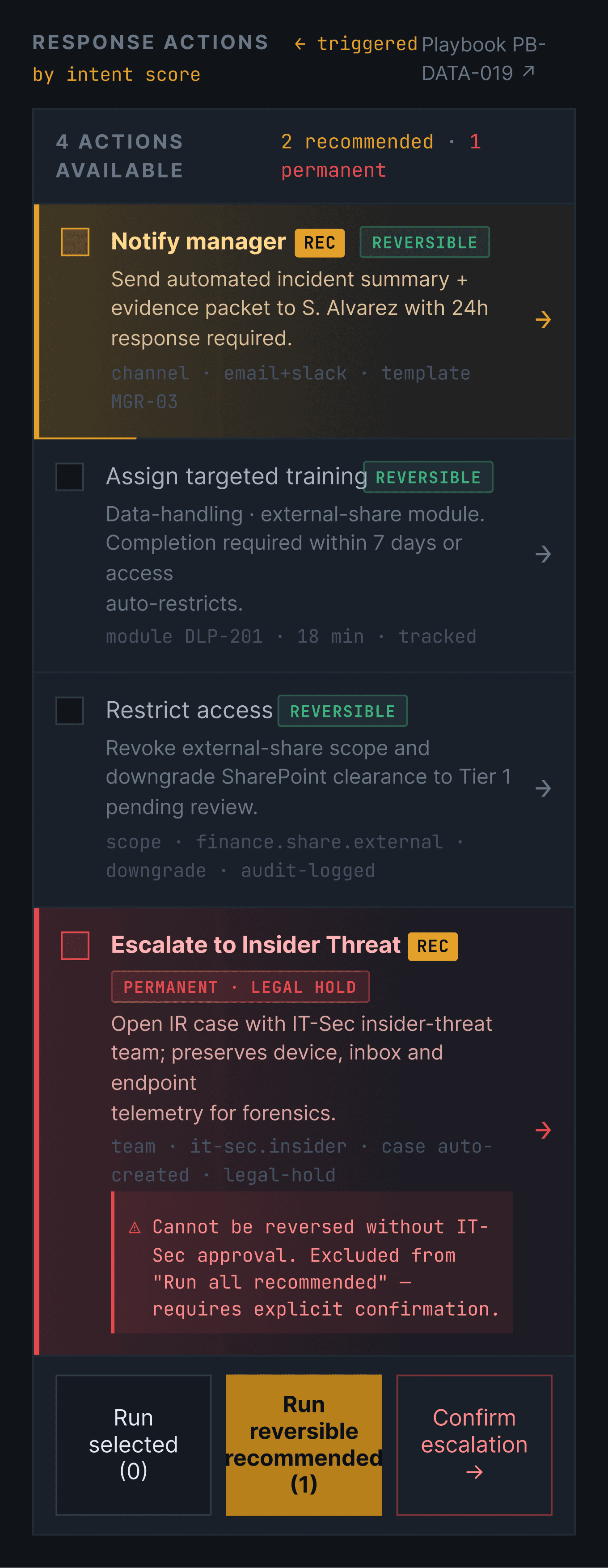
Every column in the layout carries a distinct job. The left column answers who. The center column answers what happened. The right column answers how certain we are and what to do next. Together they replace a single alert with a complete picture.
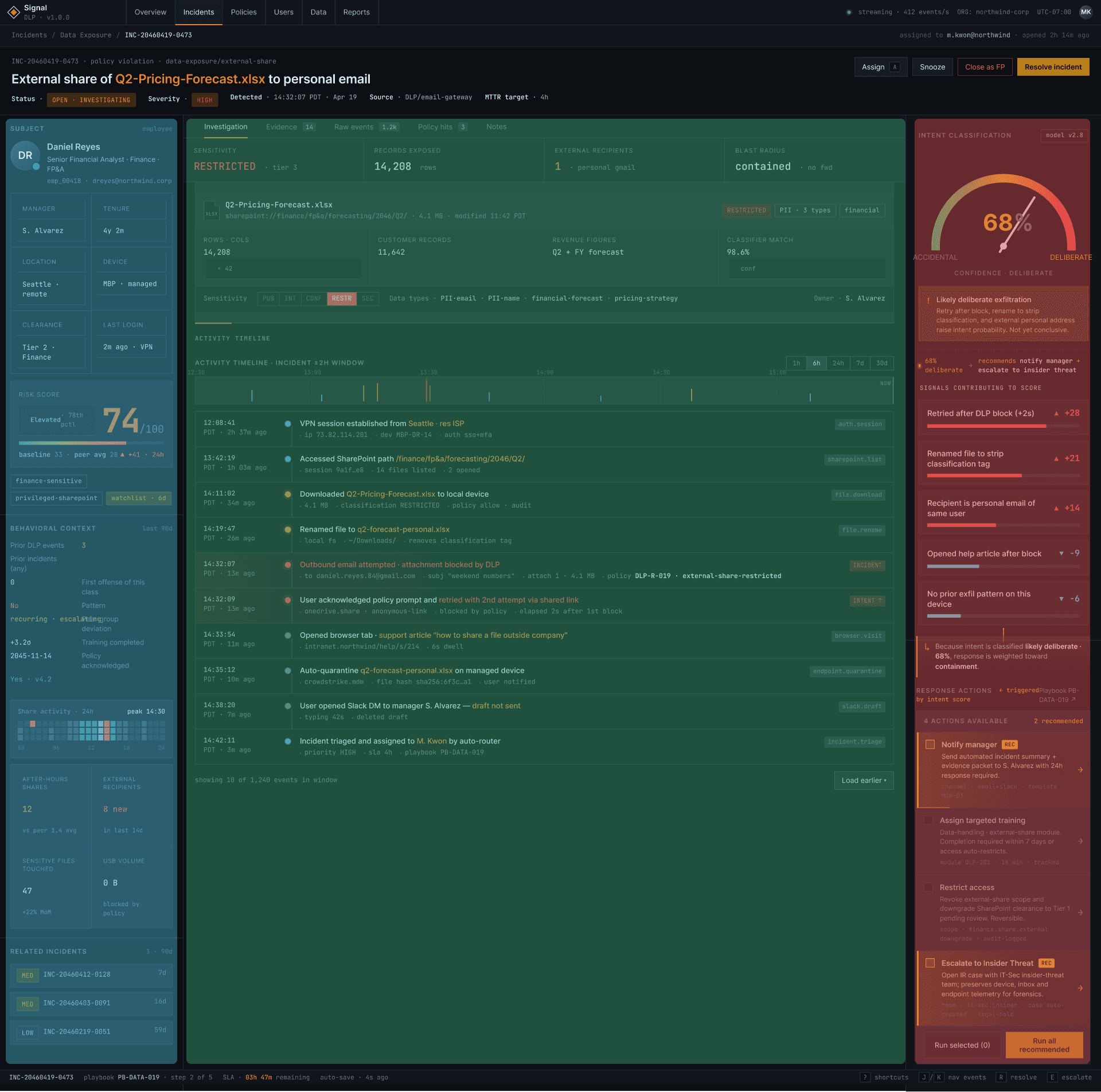
The three columns
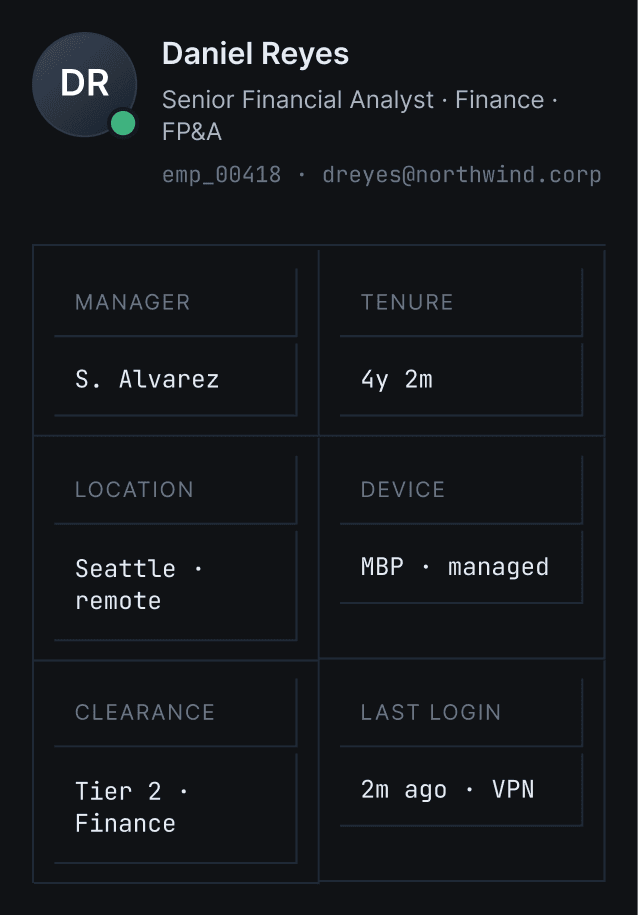
Who: Human context
The left column establishes who the person is before showing what they did. Tenure, clearance, manager, and device make every other signal meaningful.
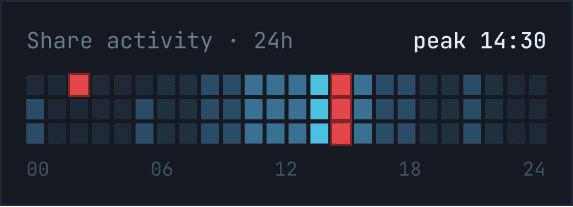
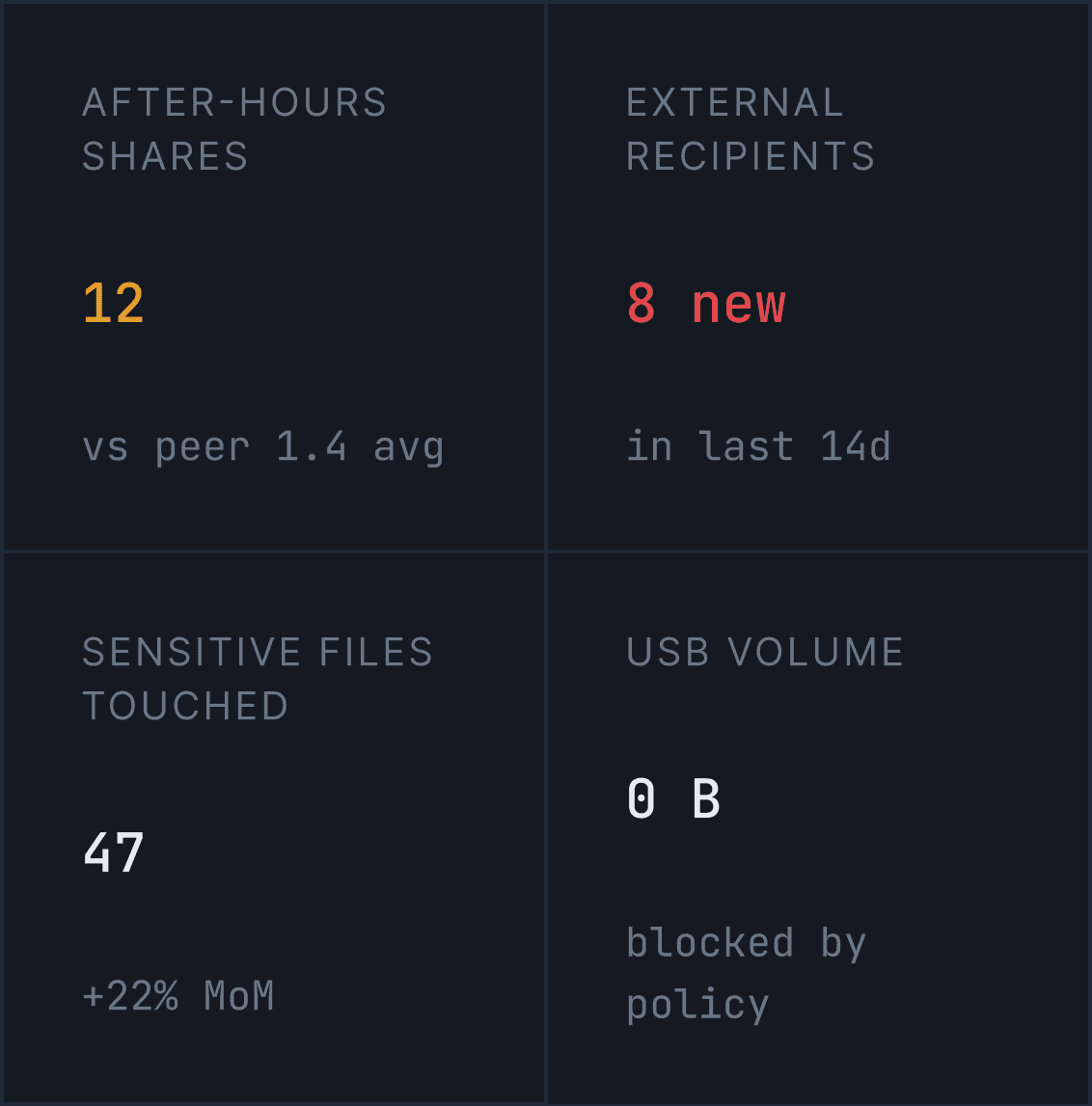
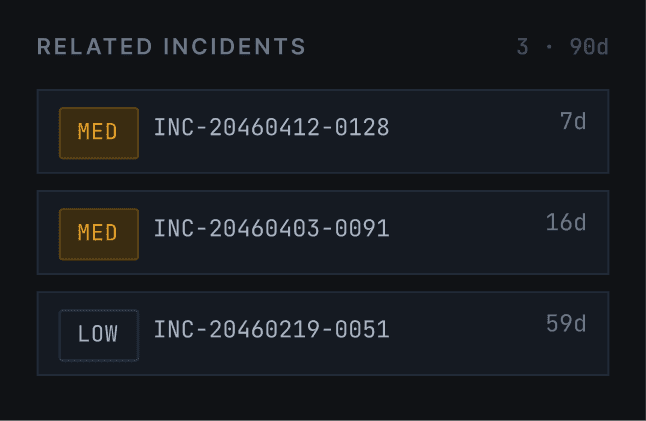
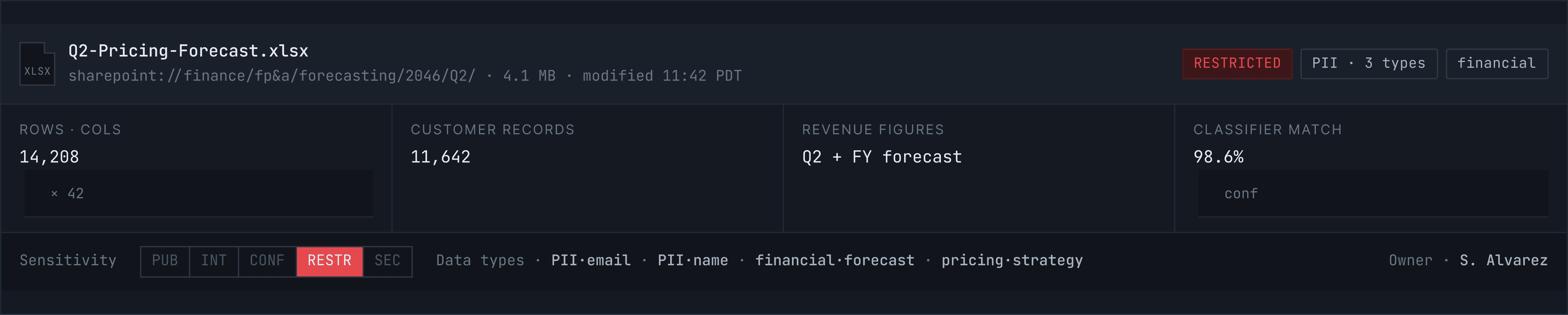
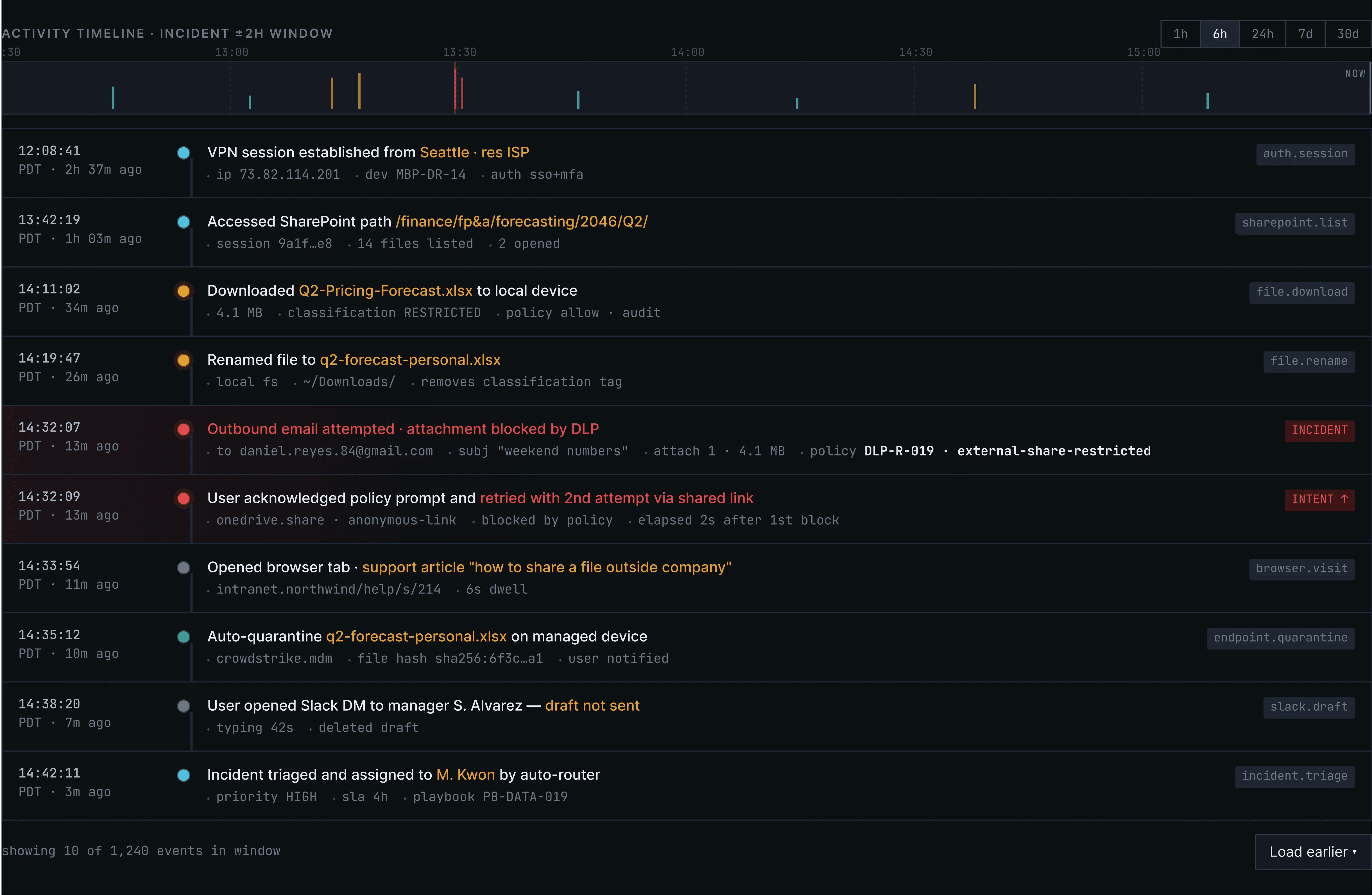
What happened:Incident timeline
This section shows how Signal compresses a messy cross-system event stream into three layers: incident summary, temporal reconstruction, and evidence context. Each layer answers a different analyst question.

What to do: Response
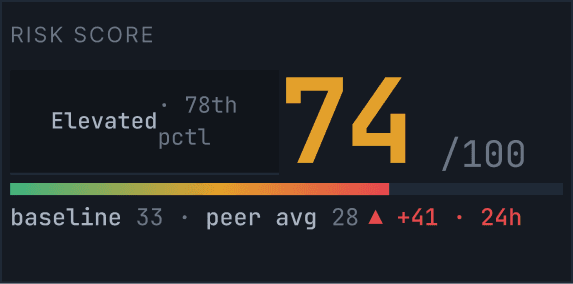
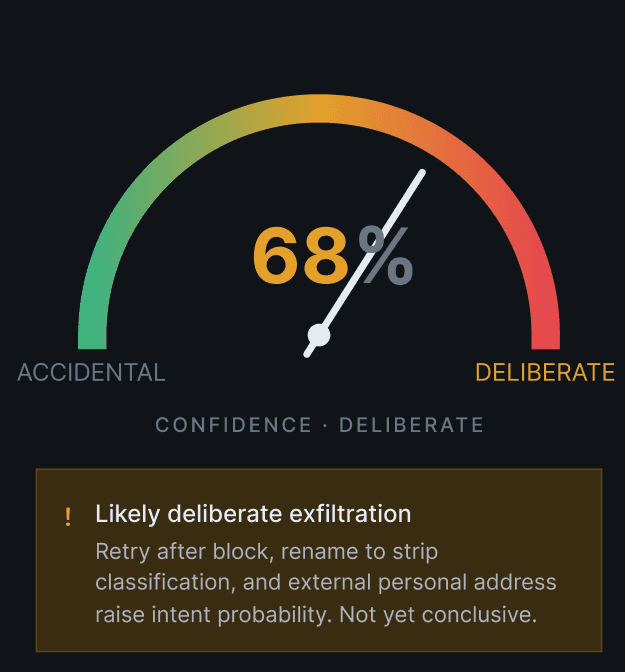
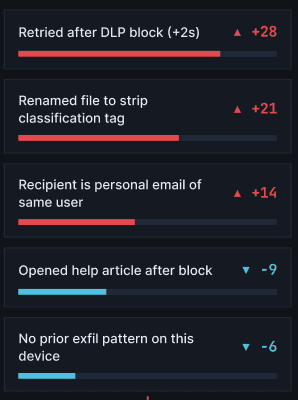
The right column produces a score the analyst can interrogate. Every contributing signal is listed with its weight — so the model can be overridden, not just accepted.
What This Proves
Signal demonstrates that enterprise security tools can communicate in human terms without sacrificing technical depth. Designing for data-dense B2B environments doesn't mean accepting visual chaos. It means building structure that holds under pressure. The intent model, the behavioral timeline, and the action hierarchy all speak the language of the domain: they show that good design isn't decoration. It's operational clarity.
© 2026 Guy Bar-Sinai